Spreadsheet errors (kickout)
Last updated April 30, 2026
When you upload a setup spreadsheet and EnergyCAP detects errors in your data, it automatically generates an error spreadsheet—also called a kickout spreadsheet. Only the rows with errors are included, so you can focus on fixing just what went wrong. Once you've corrected the errors and re-uploaded the file, EnergyCAP processes the remaining records.
Correct errors on an error (kickout) spreadsheet
- Download the error spreadsheet.

- Review the error message and make your corrections in the spreadsheet.
- Import the corrected spreadsheet into EnergyCAP.
- Review the spreadsheet log for your results and repeat the process as needed.
Error messages
- Each row in the error (kickout) spreadsheet is a different error.
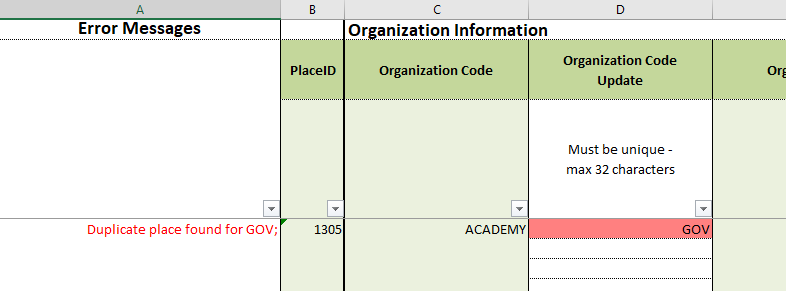
- The first column states the error message.
- The incorrect cell in each row is highlighted.
Example
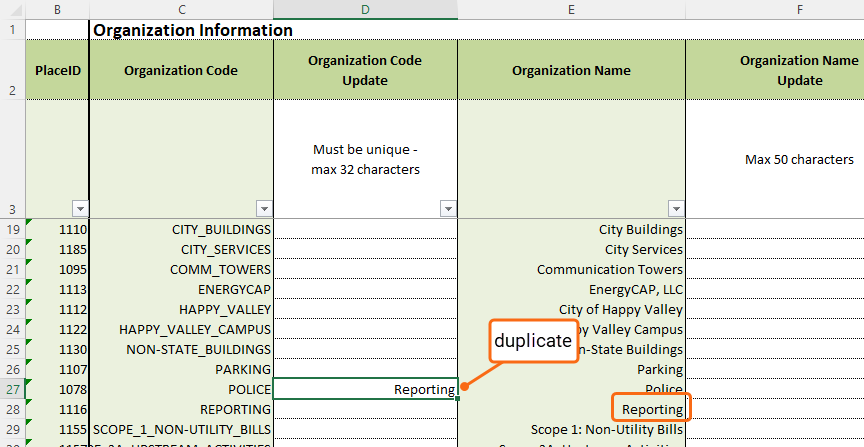
- This update sheet has a duplicate organization code.
- After the file is uploaded, a banner message indicates an error. The failed column provides a link to download the error (kickout) spreadsheet.

- Download and open the spreadsheet.
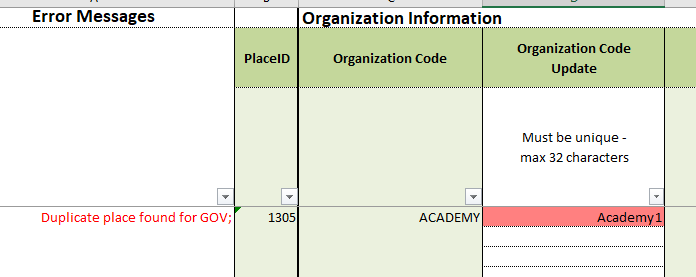
- Fix the error and save the spreadsheet.
- Upload and review the status.
